
Provider Routing
Understand how routing rules fit into the complete routing pipeline
Routing Rules provide dynamic, expression-based control over request routing. They execute before governance provider selection and can override it, allowing you to make sophisticated routing decisions based on request context, headers, parameters, capacity metrics, and organizational hierarchy.
Unlike governance routing (which uses static provider weights), routing rules use CEL expressions (Common Expression Language) to evaluate conditions at runtime and make routing decisions dynamically.
You attach each rule to a scope - Virtual Key, Team, Customer, or Global - and a priority. When a request arrives, rules are checked most-specific scope first and the first matching rule wins (no later rules run). Use this to decide which rule takes effect when several could match:
Virtual Key scope (most specific - checked first) ↓Team scope ↓Customer scope ↓Global scope (applies to all - checked last)Within a single scope, rules with a lower priority number are checked first (priority 0 before 10). If no rule matches, the request’s provider/model is left unchanged and normal governance/load-balancing routing applies.
Practical guidance:
0, 10, 20) so you can insert rules later without renumbering.Routing rules evaluate CEL expressions with these available variables:
model // Requested model (string)provider // Current provider (string)request_type // Request type (chat_completion, embedding, batch, image_generation, moderation, transcription, translation)headers["header-name"] // Request header (case-insensitive key lookup)params["param-name"] // Query parameterHeader Examples:
headers["x-tier"] == "premium"headers["x-api-version"] == "v2"headers["user-agent"].contains("mobile")virtual_key_id // VK ID (string, empty if no VK)virtual_key_name // VK name (string)team_id // Team ID (string, empty if not in team)team_name // Team name (string)customer_id // Customer ID (string)customer_name // Customer name (string)Organization Examples:
team_name == "ml-research"customer_id == "acme-corp"virtual_key_name.startsWith("prod-")budget_used // Budget usage percentage for provider/model (0.0 to 100.0)tokens_used // Token rate limit usage percentage (0.0 to 100.0)request // Request rate limit usage percentage (0.0 to 100.0)Capacity Examples:
budget_used > 80 // Route to fallback when 80%+ of budget usedtokens_used < 50 // Route to fast provider when below 50% token limitrequest > 90 // Switch providers when request limit near max== // Equal!= // Not equal> // Greater than< // Less than>= // Greater or equal<= // Less or equal&& // AND|| // OR! // NOT.startsWith("prefix") // Check string prefix.endsWith("suffix") // Check string suffix.contains("substring") // Check substring.matches("regex") // Regex match"value" in ["item1", "item2", "item3"] // Check membership// Route based on header valueheaders["x-tier"] == "premium"
// Route based on teamteam_name == "research"
// Route based on modelmodel == "gpt-4o"
// Route based on request typerequest_type == "embedding"
// Route to fallback when budget highbudget_used > 80// Premium tier research teamheaders["x-tier"] == "premium" && team_name == "research"
// High capacity or premiumbudget_used > 90 || headers["x-priority"] == "high"
// Specific team and modelteam_name == "ml-ops" && model.startsWith("claude-")
// Region-based with capacity checkheaders["x-region"] == "us-east" && tokens_used < 75
// Route embeddings to cheaper providerrequest_type == "embedding" && budget_used > 50// Match models starting with prefixmodel.startsWith("gpt-4")
// Match custom headersheaders["x-environment"] in ["staging", "testing"]
// Email domain matchingheaders["x-user-email"].contains("@company.com")
// Regex patternsheaders["x-app-version"].matches("[0-9]+\\.[0-9]+\\.[0-9]+")true/false for explicit behavior)Manage routing rules from the dashboard:
Open Routing Rules in the dashboard.
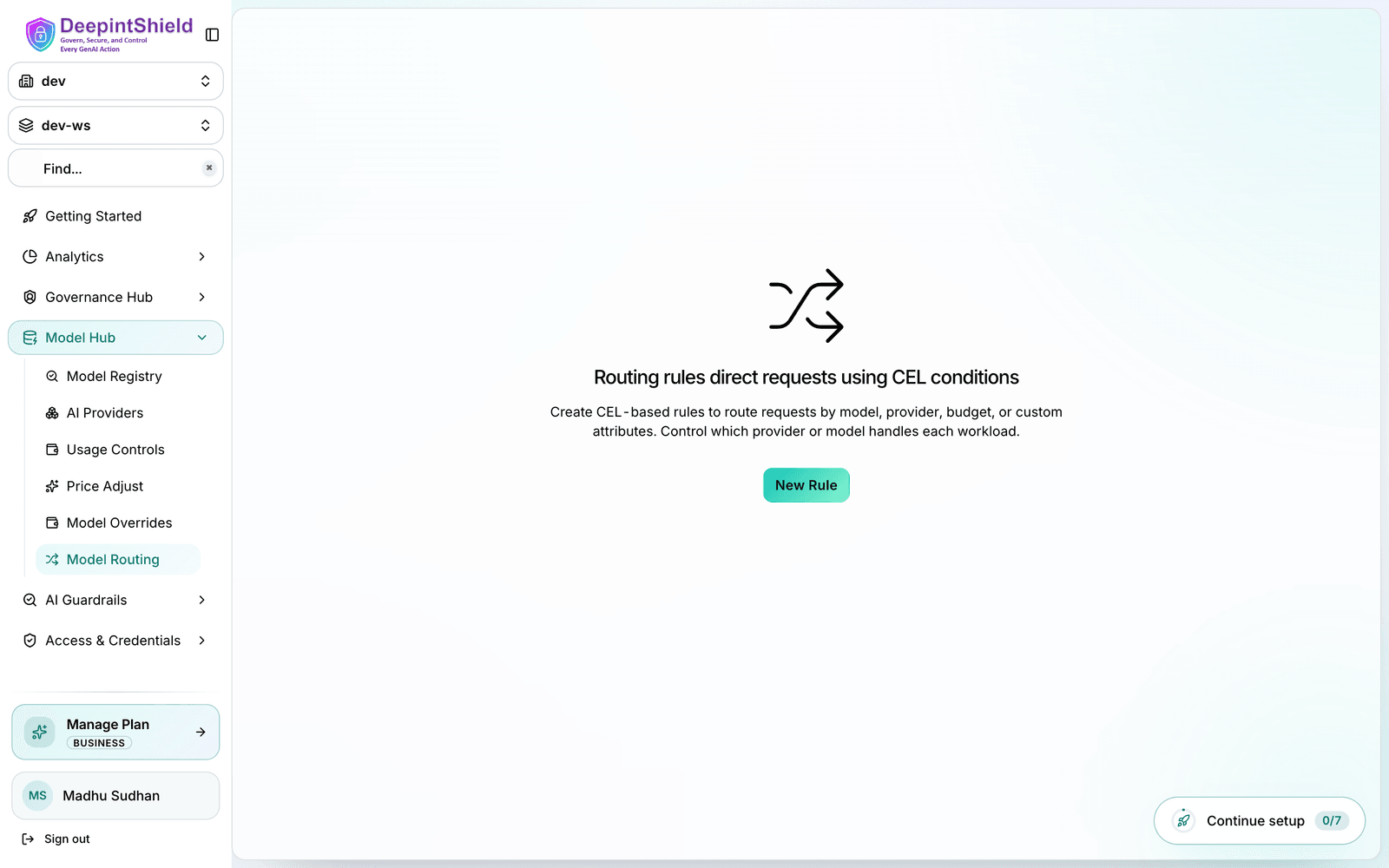
From the list you can:
Click Create rule (or edit an existing rule) to open the rule sheet and fill in the fields:
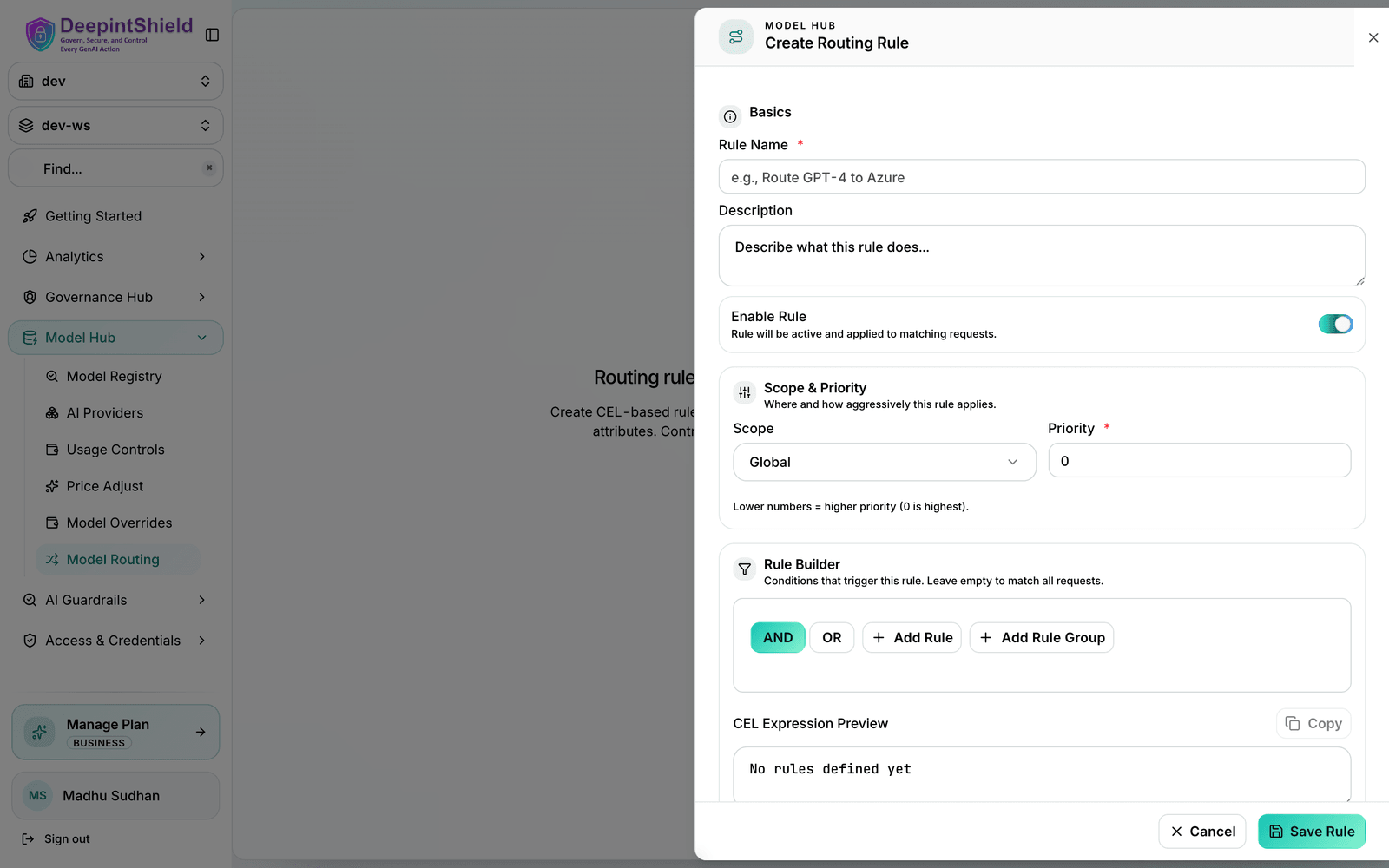
Save the rule. It takes effect immediately for matching requests.
The dashboard includes a visual query builder for CEL expressions:
When to use Routing Rules:
Route requests based on customer tier using headers:
{ "name": "Premium Tier Fast Track", "cel_expression": "headers[\"x-tier\"] == \"premium\"", "targets": [ { "provider": "openai", "model": "gpt-4o", "weight": 1 } ], "fallbacks": ["azure/gpt-4o"], "scope": "global", "priority": 10}Route to cheaper provider when budget is exhausted:
{ "name": "Budget Exhaustion Fallback", "cel_expression": "budget_used > 90", "targets": [ { "provider": "groq", "model": "llama-2-70b", "weight": 1 } ], "fallbacks": [], "scope": "global", "priority": 5}Route team-specific requests to their preferred provider:
{ "name": "ML Team Anthropic Preference", "cel_expression": "team_name == \"ml-research\"", "targets": [ { "provider": "anthropic", "model": "claude-3-opus-20240229", "weight": 1 } ], "fallbacks": ["bedrock/claude-3-opus"], "scope": "team", "scope_id": "team-ml-research-uuid", "priority": 0}Combine multiple criteria for sophisticated routing:
{ "name": "Production Premium Route", "cel_expression": "headers[\"x-environment\"] == \"production\" && headers[\"x-priority\"] == \"high\" && tokens_used < 75", "targets": [ { "provider": "openai", "model": "gpt-4o", "weight": 1 } ], "fallbacks": ["azure/gpt-4o"], "scope": "global", "priority": 5}Split traffic across providers or models by weight for canary deployments or cost optimization:
{ "name": "Split Traffic OpenAI vs Groq", "cel_expression": "true", "targets": [ { "provider": "openai", "model": "gpt-4o", "weight": 0.7 }, { "provider": "groq", "model": "llama-3.1-70b", "weight": 0.3 } ], "scope": "global", "priority": 15}Each request matching this rule has a 70% chance of going to OpenAI and a 30% chance of going to Groq. Weights must always sum to 1.
Route based on region headers:
{ "name": "EU Data Residency", "cel_expression": "headers[\"x-region\"] == \"eu\"", "targets": [ { "provider": "azure", "model": "gpt-4o", "weight": 1 } ], "fallbacks": [], "scope": "global", "priority": 0}A matching routing rule takes precedence over a Virtual Key’s governance provider_configs. Use this to predict where a request goes:
key_id); the Virtual Key’s provider_configs are ignored. Adaptive load balancing still picks the best key unless you pinned one.Example: governance is configured 70% Azure / 30% OpenAI, and you also have the rule budget_used > 85 → groq. A request arriving at 90% budget usage routes to Groq (the rule wins); the governance split is ignored for that request.
Add a fallbacks array to a rule to define the failover order if the chosen provider fails:
{ "provider": "openai", "fallbacks": ["azure/gpt-4o", "groq/gpt-3.5-turbo"]}If OpenAI fails, the request retries Azure, then Groq.
Routing-rule evaluation is fast, but a few habits keep your rule set predictable and maintainable:
== and in [...] over .matches() regex where you can - they’re easier to reason about and less error-prone.0, 10, 20) so you can insert rules later without renumbering.✅ Good names:
❌ Bad names:
✅ Safe patterns:
headers["x-tier"] == "premium" // Exact matchheaders["x-region"] in ["us", "eu", "asia"] // Membershipteam_name.startsWith("prod-") // Prefix checkbudget_used > 80 // Numeric comparison❌ Risky patterns:
headers["x-tier"].matches(".*premium.*") // Complex regexheaders["x-config"].contains("json") // Fragilemodel.length() > 5 && ... // Undocumented behavior✅ Good scope design:
❌ Avoid:
✅ Validate before deployment:
from_memory=true to verify in-memory state❌ Don’t:
✅ Track rule usage:
❌ Don’t forget:
Symptom: Rule expression is correct but doesn’t match
Diagnosis:
Solutions:
Symptom: “Failed to compile rule: invalid CEL syntax”
Common causes:
headers["x-tier (missing closing quote)headers["x"] ?? (not standard CEL)headers["x-\type"] (incorrect escape)Solutions:
(A && B) || (C && D)Symptom: Request routed to unexpected provider
Diagnosis:
Solutions:
Symptom: “no such key” error in CEL evaluation
This is normal! DeepIntShield treats missing headers as non-matches:
headers["x-optional"] == "value" # Returns false if header missingIf you need to check if header exists:
headers["x-optional"] != "" # True only if present and non-emptyTo confirm which rules are live and in what order they will be evaluated, review the routing rules list in the dashboard and check each rule’s enabled state, scope, and priority.
Cross-check against your request: confirm the matching rule is enabled, its scope applies to the request’s Virtual Key/team/customer, and no higher-precedence (lower priority number, or more specific scope) rule matches first.
Provider Routing
Understand how routing rules fit into the complete routing pipeline
Virtual Keys
Configure Virtual Keys that scope routing rules
Governance
Learn about the governance layer (applied after routing rules determine provider selection when no rule matches)
CEL Language Spec
Complete CEL expression language documentation