
Virtual Keys
Overview
Section titled “Overview”Virtual Keys are the primary governance entity in DeepIntShield. Users and applications authenticate using the given headers to access virtual keys and get specific access permissions, budgets, and rate limits.
Allowed Headers:
x-bf-vk- Virtual key header, eg.sk-bf-*Authorization- Authorization header, eg.Bearer sk-bf-*(OpenAI style)x-api-key- API key header, eg.sk-bf-*(Anthropic style)x-goog-api-key- API key header, eg.sk-bf-*(Google Gemini style)
Key Features:
- Access Control - Model and provider filtering
- Cost Management - Independent budgets (checked along with team/customer budgets if attached)
- Rate Limiting - Token and request-based throttling (VK-level only)
- Key Restrictions - Limit VK to specific provider API keys (if configured, VK can only use those keys)
- Exclusive Attachment - Belongs to either one team OR one customer OR neither (mutually exclusive)
- Active/Inactive Status - Enable/disable access instantly
Configuration
Section titled “Configuration”- Go to Virtual Keys
- Click on Add Virtual Key button
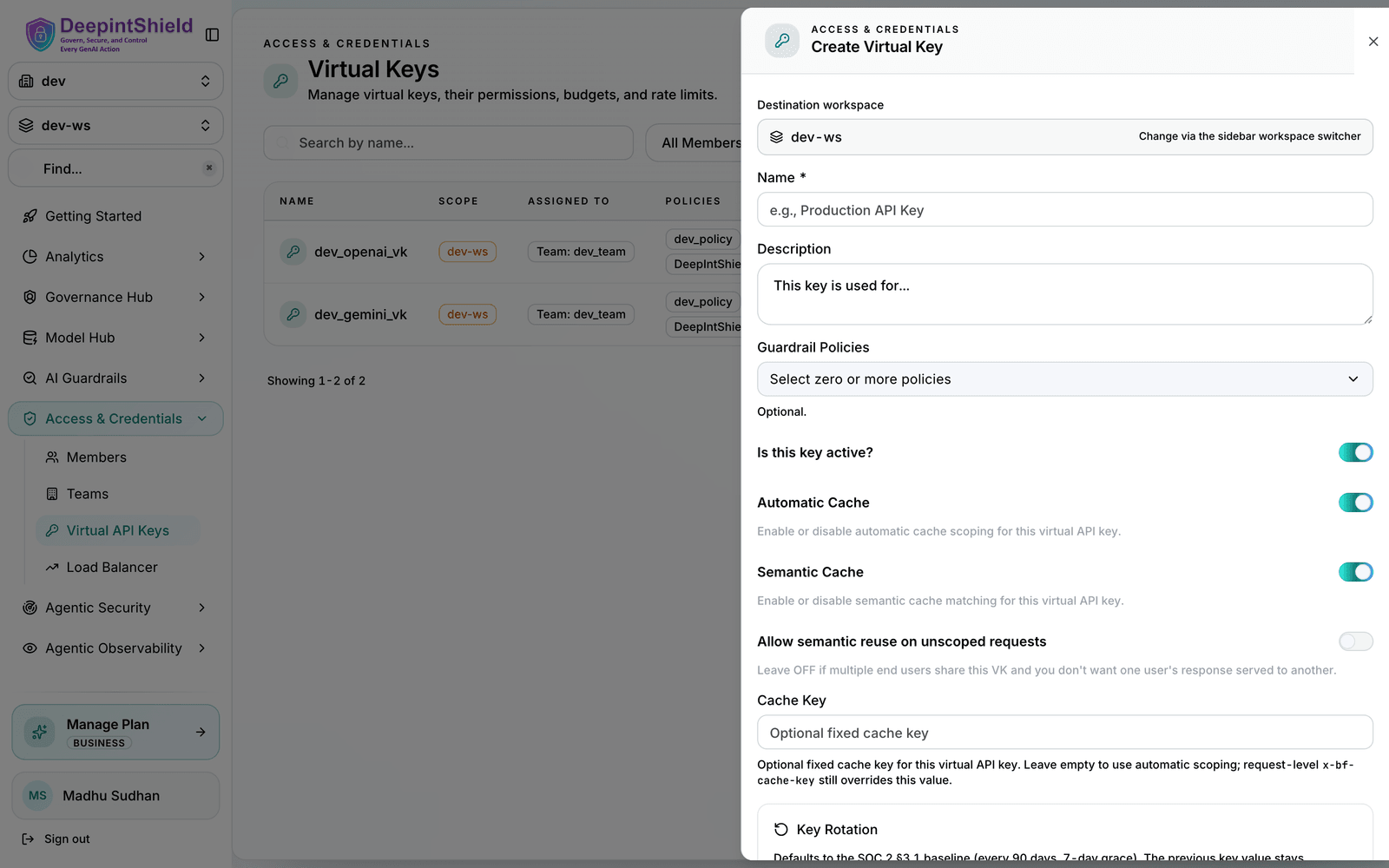
Budget Settings:
- Max Limit: Dollar amount (e.g.,
10.50) - Reset Duration:
1m,1h,1d,1w,1M
Rate Limits:
- Token Limit: Max tokens per period
- Request Limit: Max requests per period
- Reset Duration: Reset frequency for each limit
Associations:
- Team: Assign to existing team (mutually exclusive with customer)
- Customer: Assign to existing customer (mutually exclusive with team)
- Click Create Virtual Key
You can configure provider access, budgets, rate limits, and team/customer associations all from this form. Note that a virtual key can belong to one team OR one customer, not both. Use the Allowed Keys section to restrict the key to specific provider API keys, or leave it empty to allow access to all available keys.
User Groups
Section titled “User Groups”Teams provide organizational grouping for virtual keys with department-level budget management. Teams can belong to one customer and have their own independent budget allocation.
Key Features:
- Organizational Structure - Group multiple virtual keys
- Independent Budgets - Department-level cost control (separate from customer budgets)
- Customer Association - Can belong to one customer (optional)
- No Rate Limits - Teams cannot have rate limits (VK-level only)
Configuration
-
Go to Users & Groups → Teams
-
Click on Add Team button
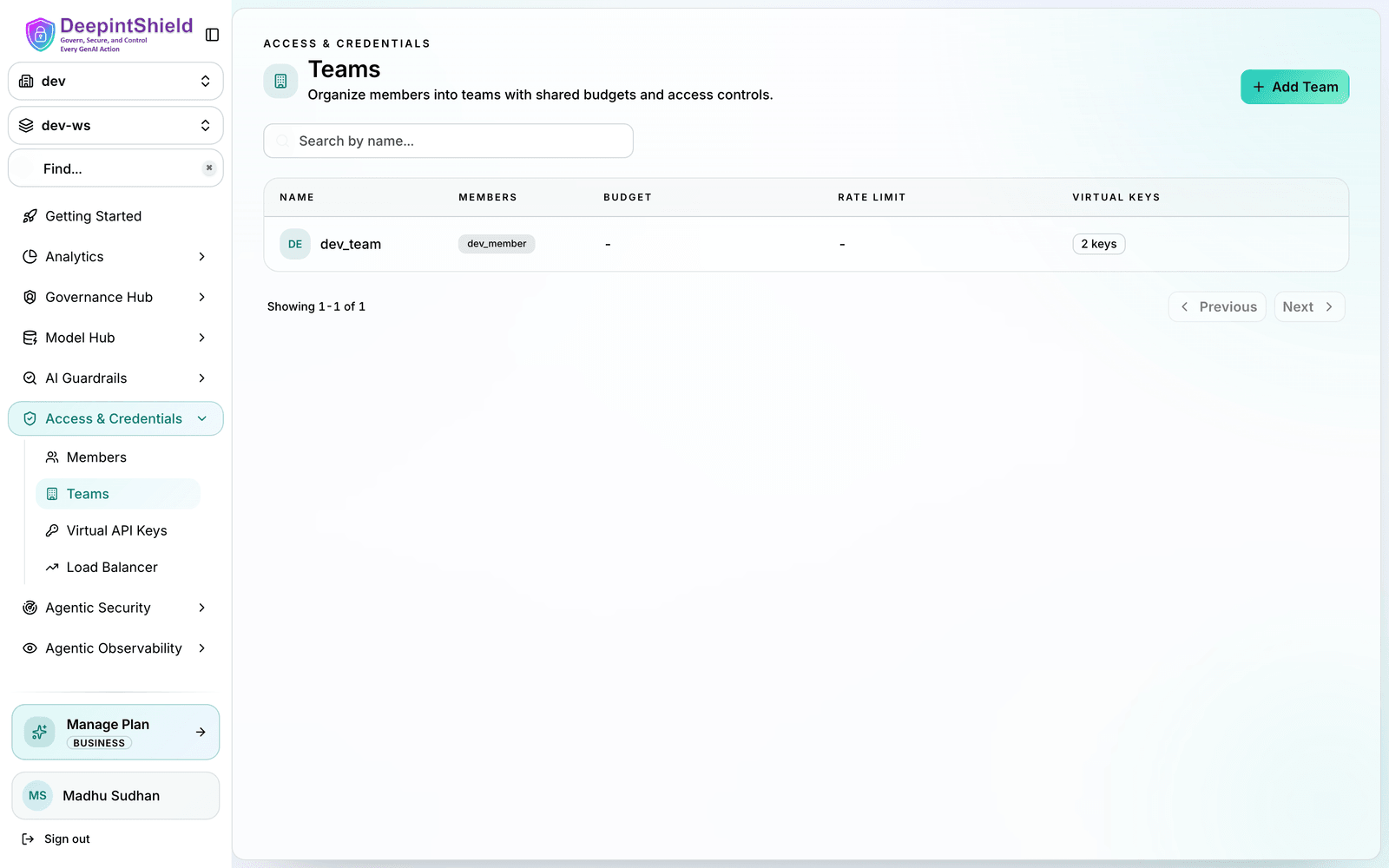
Fill the form (name, optional customer association, and budget) and click on Create Team button
- Assign Virtual Keys to Team
- Go to Virtual Keys page
- Edit the virtual key and assign it to the team
- Click on Save button
Customers
Section titled “Customers”Customers represent the highest level in the governance hierarchy, typically corresponding to organizations or major business units. They provide top-level budget control and organizational structure.
Key Features:
- Top-Level Organization - Highest hierarchy level
- Independent Budgets - Organization-wide cost control (separate from team/VK budgets)
- Team Management - Contains multiple teams and direct VKs
- No Rate Limits - Customers cannot have rate limits (VK-level only)
Configuration
-
Go to Users & Groups → Customers
-
Click on Add Customer button
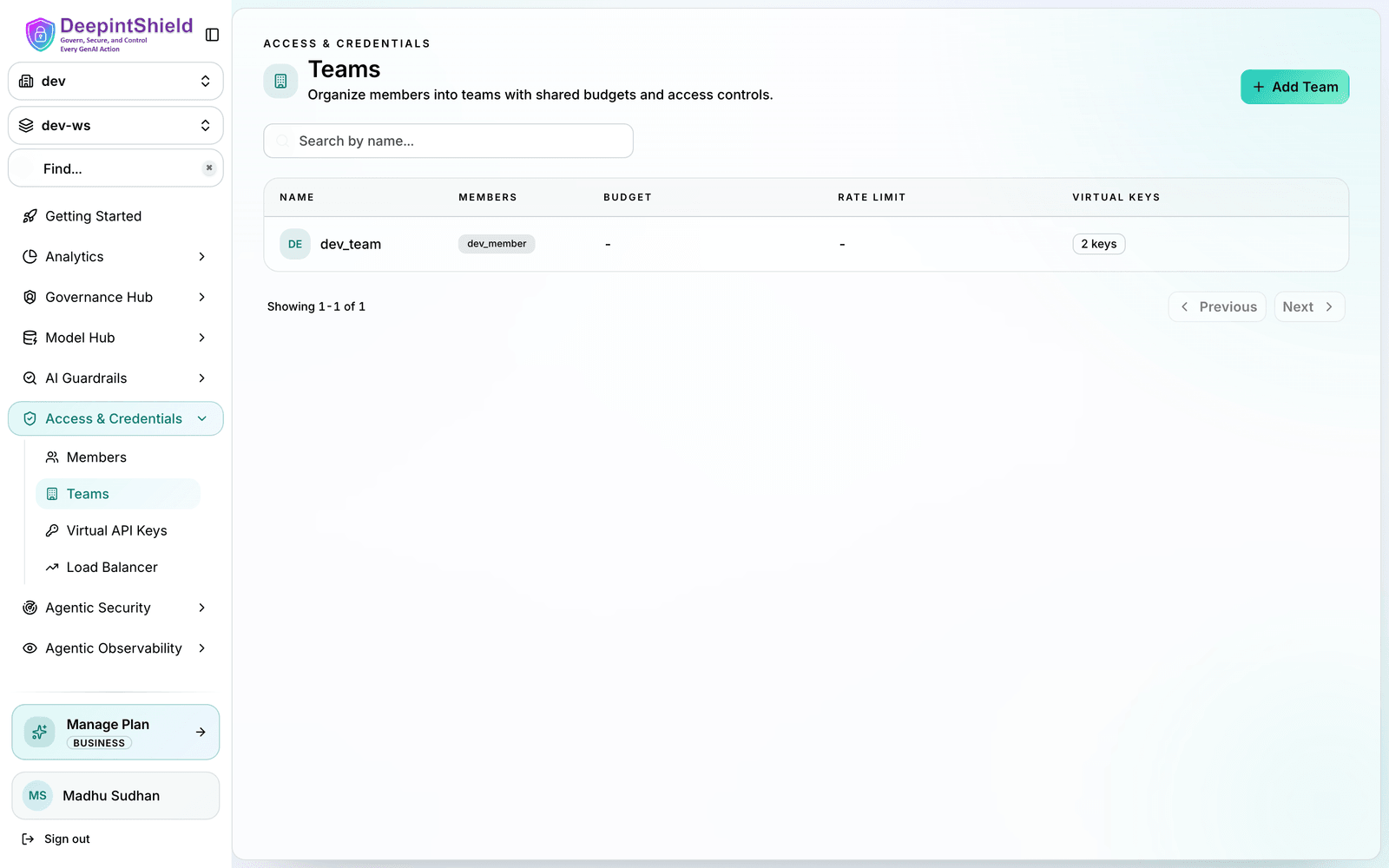
Fill the form (name and budget) and click on Create Customer button
-
Assign Teams to Customer
- Go to Teams page
- Edit the team and assign it to the customer
- Click on Save button
-
Assign Virtual Keys to Customer
- Go to Virtual Keys page
- Edit the virtual key and assign it to the customer
- Click on Save button
Features
Section titled “Features”- Budget and Limits - Enterprise-grade budget management and cost control and rate limiting using virtual keys
- Routing - Route requests to the appropriate providers/models and restrict api keys using virtual keys
- MCP Tool Filtering - Manage MCP clients/tools for virtual keys
Making Virtual Keys Mandatory
Section titled “Making Virtual Keys Mandatory”All governance-enabled requests must include the virtual key header:
curl -X POST https://app.deepintshield.com/v1/chat/completions \ -H "Content-Type: application/json" \ -H "x-bf-vk: vk-engineering-main" \ -d '{ "model": "gpt-4o-mini", "messages": [{"role": "user", "content": "Hello!"}] }'By default governance is optional, meaning that if the virtual key header is not present, the request will be allowed but without any governance checks/routing. But you can make it mandatory by enforcing the virtual key header.
-
Go to Config → Security
-
Check the Enforce Virtual Keys checkbox
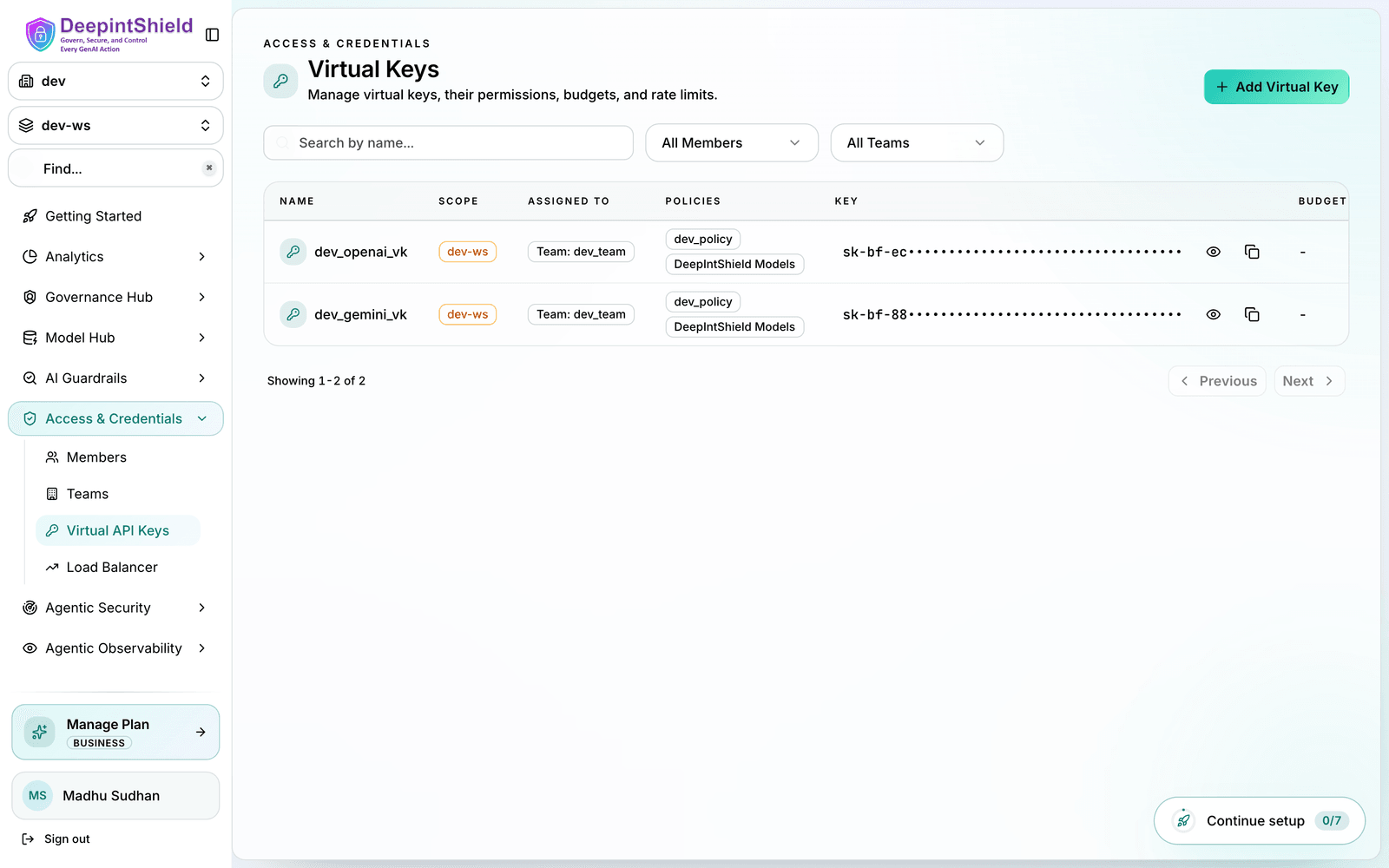
When the governance header is enforced, the request will be rejected if the x-bf-vk header is not present.
Authentication and Virtual Keys
Section titled “Authentication and Virtual Keys”Virtual keys and HTTP authentication are independent layers that can work together:
| Layer | Purpose | Headers |
|---|---|---|
| Authentication | Validates user identity | Authorization: Basic/Bearer <credentials> |
| Virtual Keys | Request routing and governance | x-bf-vk, Authorization1, x-api-key, x-goog-api-key |
When disable_auth_on_inference: true (auth disabled):
Virtual keys can be passed via any supported header without additional authentication:
# Using x-bf-vk headercurl -X POST https://app.deepintshield.com/v1/chat/completions \  -H "x-bf-vk: <VIRTUAL_KEY>" \  -H "Content-Type: application/json" \  -d '{"model": "gpt-4o-mini", "messages": [...]}'
# Using Authorization header (OpenAI style)curl -X POST https://app.deepintshield.com/v1/chat/completions \  -H "Authorization: Bearer <VIRTUAL_KEY>" \  -H "Content-Type: application/json" \  -d '{"model": "gpt-4o-mini", "messages": [...]}'
When disable_auth_on_inference: false (auth enabled):
You must provide both authentication credentials AND the virtual key. Use x-bf-vk for the virtual key since the Authorization header is used for authentication:
curl -X POST https://app.deepintshield.com/v1/chat/completions \ -H "Authorization: Basic <base64-credentials>" \ -H "x-bf-vk: <VIRTUAL_KEY>" \ -H "Content-Type: application/json" \ -d '{"model": "gpt-4o-mini", "messages": [...]}'Configuring disable_auth_on_inference:
- Go to Config → Security
- Toggle Disable Auth on Inference to enable/disable
Error Responses
Section titled “Error Responses”- Virtual Key Required (401)
{ "error": { "type": "virtual_key_required", "message": "virtual key is required. Provide a virtual key via the x-bf-vk header." }}- Virtual Key Blocked (403)
{ "error": { "type": "virtual_key_blocked", "message": "Virtual key is inactive" }}- Rate Limit Exceeded (429)
{ "error": { "type": "rate_limited", "message": "Rate limits exceeded: [token limit exceeded (1500/1000, resets every 1h)]" }}- Token Limit Exceeded (429)
{ "error": { "type": "token_limited", "message": "Rate limits exceeded: [token limit exceeded (1500/1000, resets every 1h)]" }}- Request Limit Exceeded (429)
{ "error": { "type": "request_limited", "message": "Rate limits exceeded: [request limit exceeded (101/100, resets every 1m)]" }}- Budget Exceeded (402)
{ "error": { "type": "budget_exceeded", "message": "Budget exceeded: VK budget exceeded: 105.50 > 100.00 dollars" }}- Model Not Allowed (403)
{ "error": { "type": "model_blocked", "message": "Model 'gpt-4o' is not allowed for this virtual key" }}- Provider Not Allowed (403)
{ "error": { "type": "provider_blocked", "message": "Provider 'anthropic' is not allowed for this virtual key" }}Footnotes
Section titled “Footnotes”-
Authorization can carry virtual keys only when auth is disabled (
disable_auth_on_inference: true). When auth is enabled, Authorization is consumed by authentication and cannot be used for virtual keys. ↩